
The NSP OTR is a important step for all students who wish to apply for government scholarships on National Scholarship Portal. With just one registration, students get a Unique ID that simplifies the entire application and renewal process.
The Government of India has made scholarship applications easier for students across the country through the National Scholarship Portal (NSP). To simplify the process, NSP has introduced the One Time Registration (OTR) system. Students applying for NSP Scholarships on scholarships.gov.in must first complete OTR to get a unique registration number.
In this article, we have explained everything about NSP OTR—what it is, how to apply, important guidelines, required documents and the step-by-step registration process. By the end, you will clearly understand how to generate your OTR number and apply for scholarships smoothly.
What is NSP OTR (One Time Registration)?
NSP OTR (One Time Registration) is a process through which students create a unique registration ID on the NSP portal. This ID remains valid throughout their academic journey and is used every time they apply for scholarships on the portal. NSP OTR is mandatory for all scholarship applications on the portal
The OTR ensures that a student only needs to register once. This avoids repeated registrations, reduces errors, and makes the application process faster.
Required Documents for NSP OTR
Students must keep the following documents and details ready:
- Active Mobile Number (linked with Aadhaar).
- Aadhaar Card Number or Aadhaar Enrolment ID (EID).
- For minors without Aadhaar – Parent’s/Guardian’s Aadhaar can be used.
- NPCI seeding status (desired, for scholarship payment transfer).
- Email ID (for communication).
How to complete for NSP OTR Registration Online 2026?
Before applying for an NSP scholarship application, students must complete the OTR Registration process. Follow the steps below to register and generate your OTR number:-
Step 1: Open NSP Portal
Go to the official National Scholarship Portal (NSP)
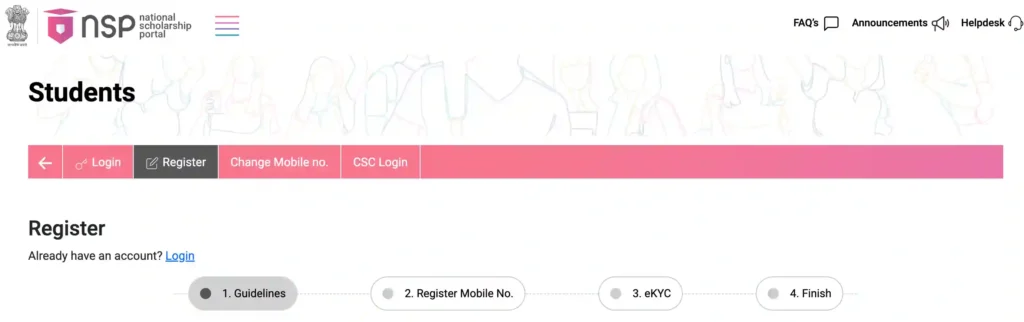
Step 2: Install Required Mobile Apps
You need two apps from the Play Store:
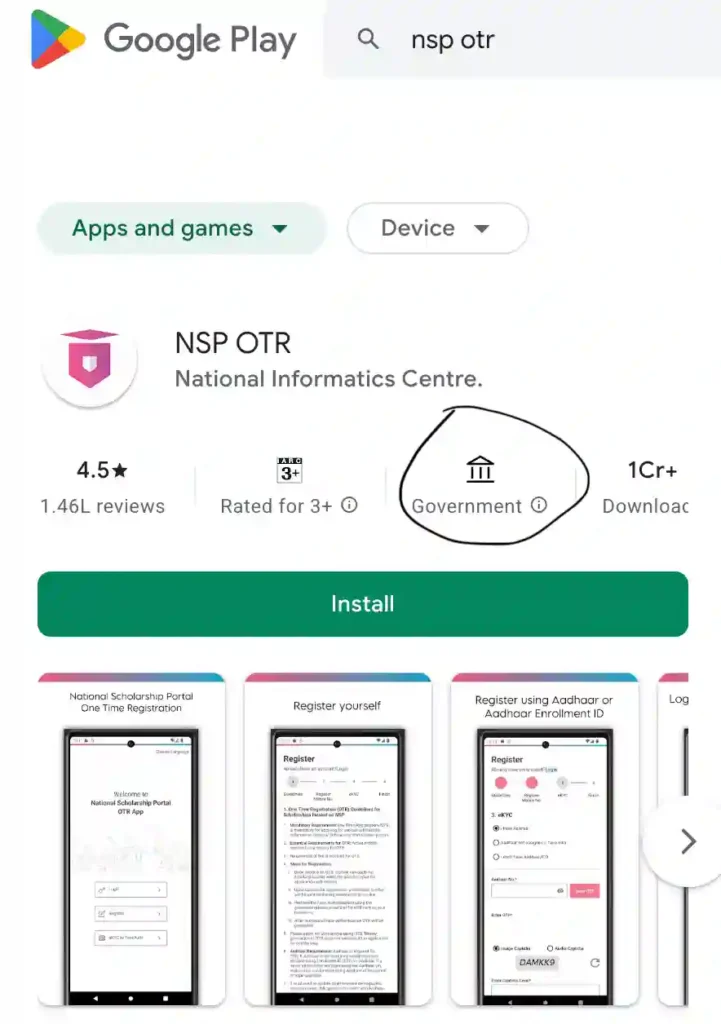
1. NSP OTR App
2. Aadhaar Face RD Service App
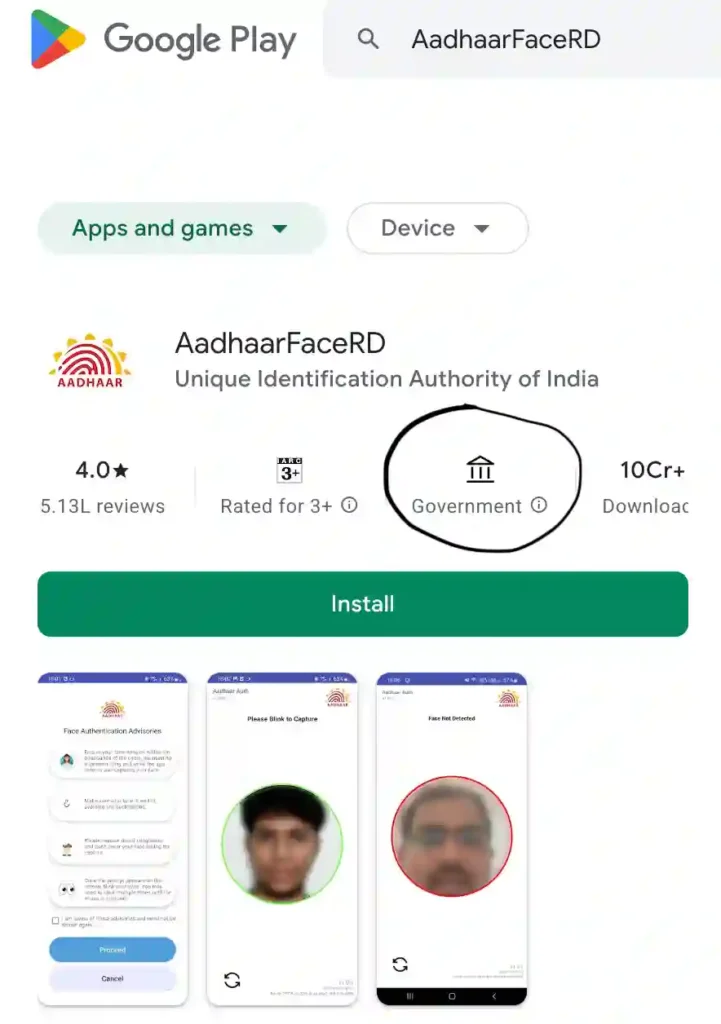
Open Play Store to search and install both apps before registration. Before download, please check “Play Store verified that this app is affiliated with a government entity” as you can see in the above given image circle area.
Step 3: Open NSP OTR App and Start Registration
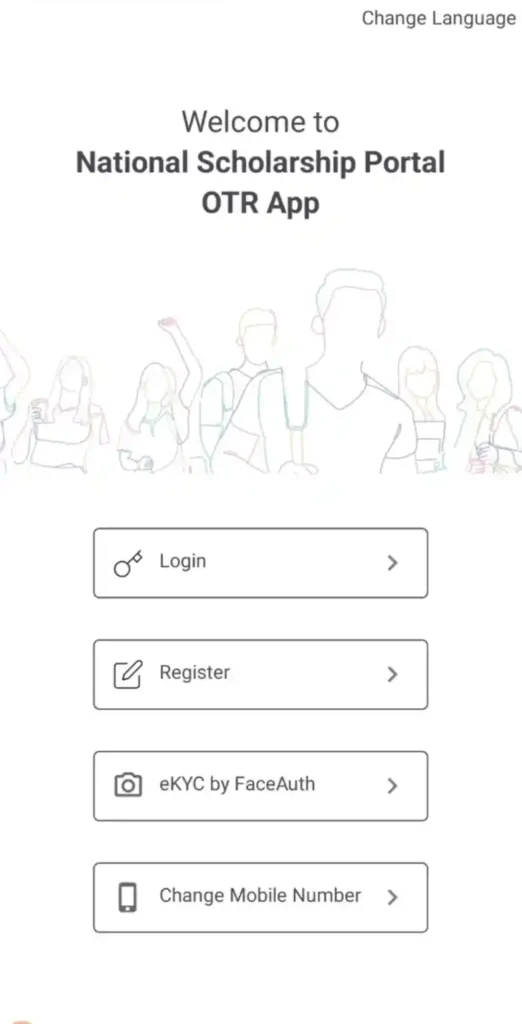
- Open the NSP OTR app and Click on Register.
- Accept the consent/check boxes.
- Click Next.
Step 4: Mobile Number Verification in OTR App
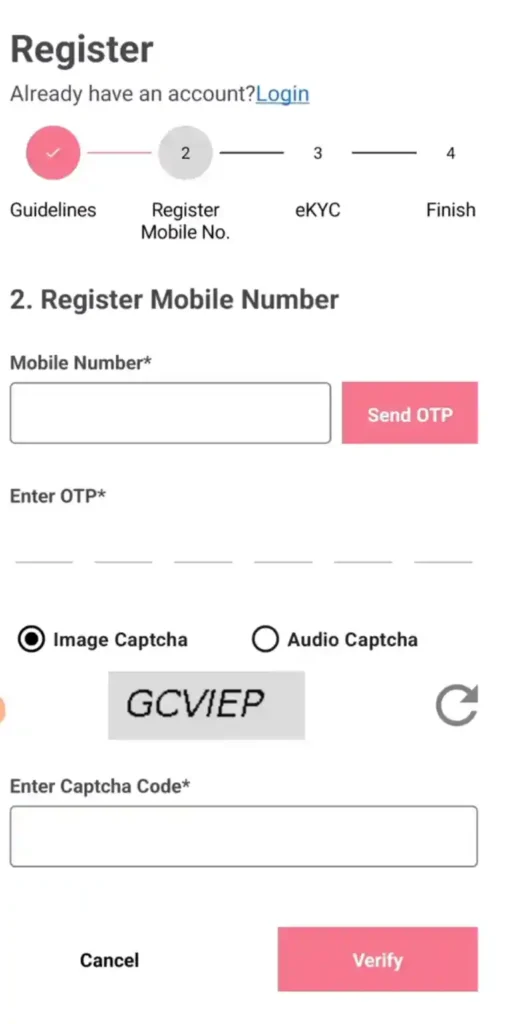
- Enter your mobile number.
- Click Send OTP.
- Enter the OTP received on your mobile.
- Fill the captcha exactly as shown (uppercase/lowercase carefully).
- Click Verify.
Step 5: Aadhaar eKYC Verification
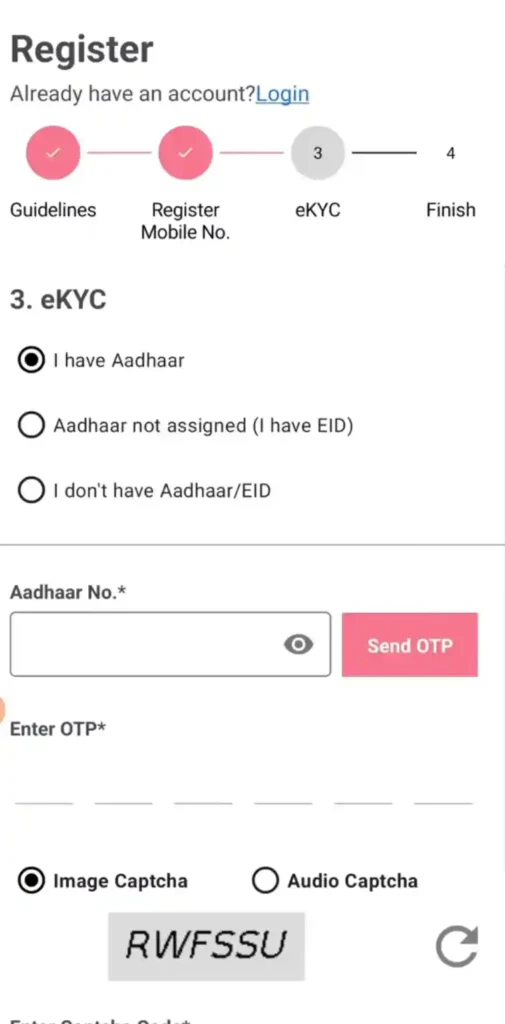
- Select I Have Aadhaar.
- Enter your own Aadhaar number.
- Click Send OTP.
- OTP will be sent to the Aadhaar-linked mobile number.
- Enter the OTP.
- Fill the captcha.
- Click Next.
Step 6: NPCI Mapper Status
- If your bank account is already linked with Aadhaar, a success message appears.
- Click OK.
Step 7: Fill Personal Details
The app automatically fetches Aadhaar details such as: Name, Aadhaar Number, Gender, Date of Birth and Address
Now enter:
- Mother’s Name
- Father’s Name
- Email ID
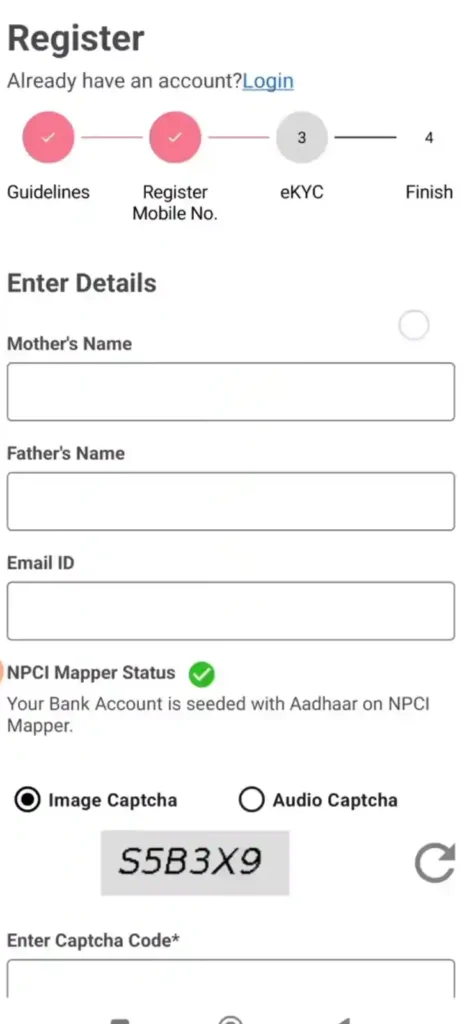
Then:
- Fill captcha.
- Click Next.
Step 8: Get Reference Number
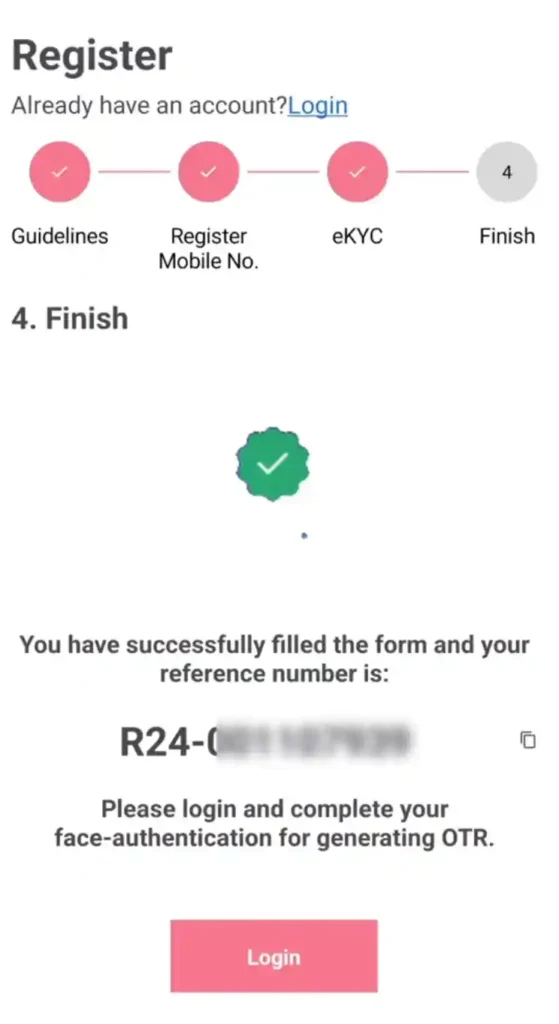
- A Reference Number will be generated.
- Copy or take a screenshot of it.
- Click Login.
Note: This is NOT the final OTR number, this is Reference Number for Face Authentication.
Step 9: Face Authentication Setup through Aadhaar Face RD app
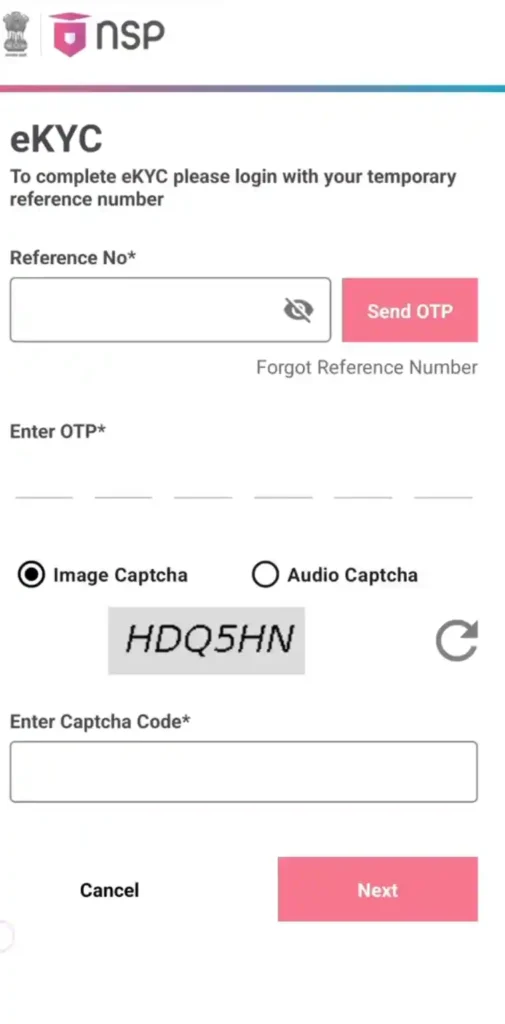
- Paste the Reference Number in OTR App.
- Click Send OTP.
- Enter OTP received on registered mobile number.
- Fill captcha.
Step 10: Perform Face Authentication
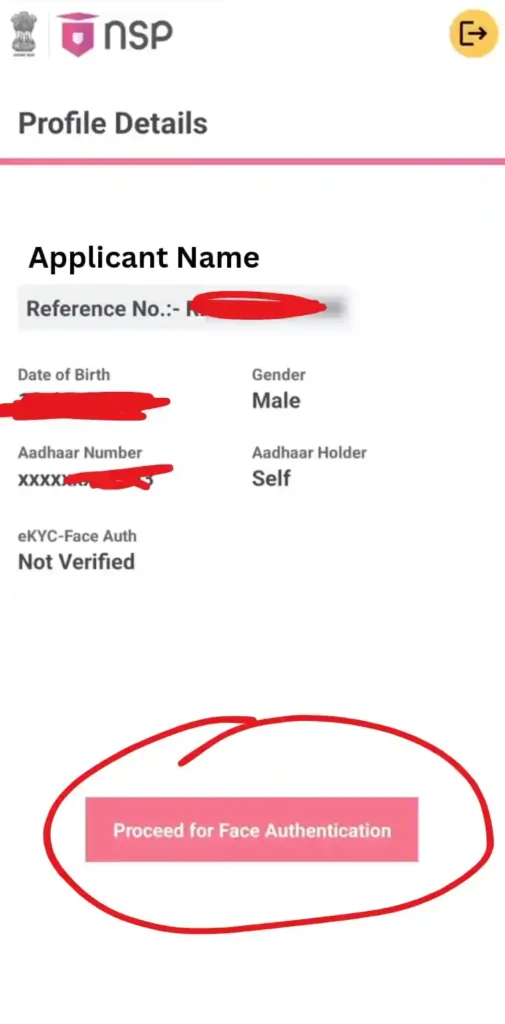
- In NSP OTR App Click Proceed for Face Authentication ( as you click on this option you Aadhaar Face RD Service App will automatically open).
- Allow required permissions.
- Move to a well-lit area.
- Keep your face properly visible.
- Blink your eyes when instructed.
After successful verification:
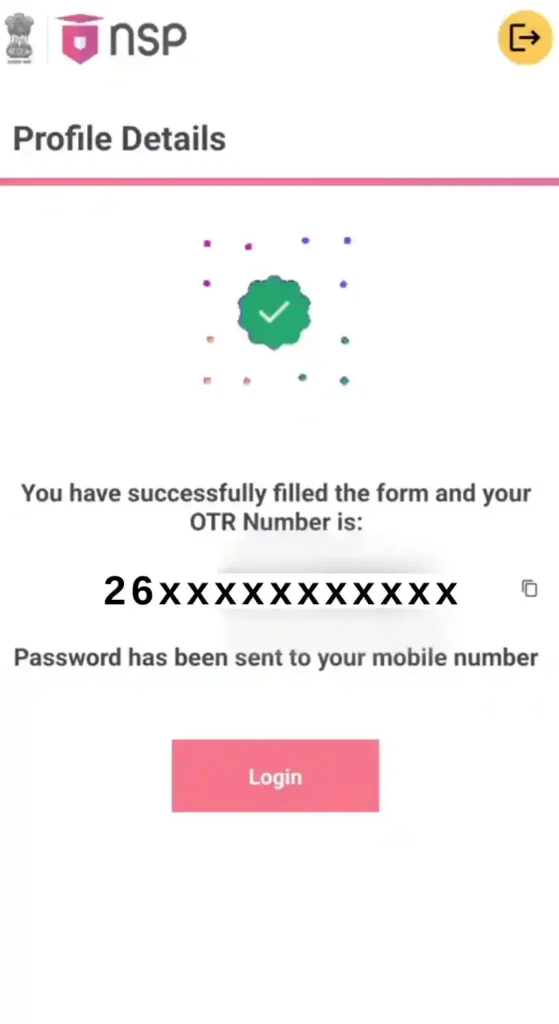
- Your OTR Number will be generated.
- Password will be sent through SMS.
Take screenshot of the OTR number or save it.
Step 11: Login and Create New Password
After first login:
- Enter old password (which has been sent on your registered mobile number).
- Create a new password.
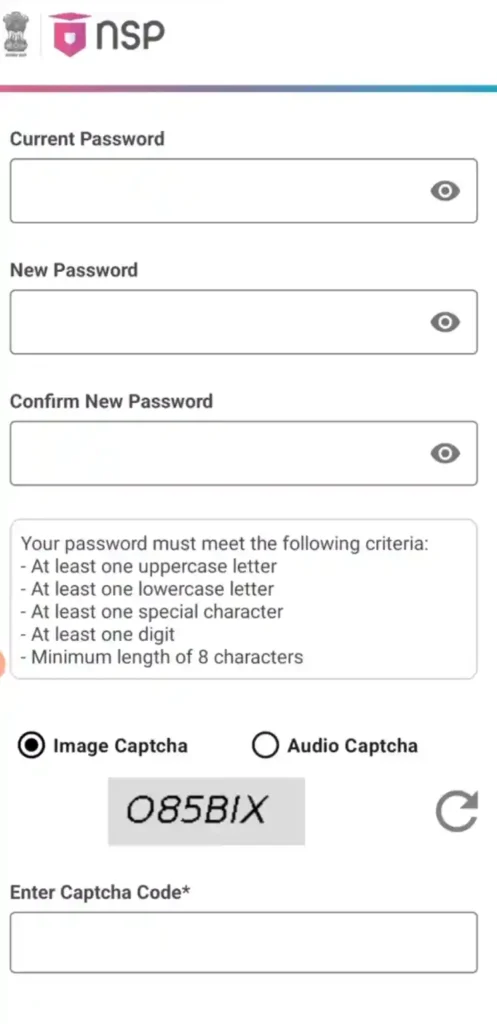
Password rules:
- Minimum 8 characters
- At least one uppercase letter
- At least one lowercase letter
- At least one number
- At least one special character
- Confirm new password.
- Fill captcha.
- Click Next.
Step 12: Final Login
- Login again using:
- OTR Number
- New Password
- Fill captcha.
- Click Login.
Now your eKYC, Face Authentication, OTR Registration are successfully completed.
Helpdesk Support
For any issues during OTR registration, you can contact:
- NSP Helpdesk
Email: helpdesk@nsp.gov.in
Phone: 0120-6619540 (8 AM – 8 PM, all days except govt. holidays) - PFMS Helpdesk
Email: helpdesk-pfms@gov.in
Toll-Free: 1800-118-111
Important Links
| OTR Registration | Apply For One Time Registration (OTR) |
| Apply for Scholarship | Login Your Application |
| Forgot OTR | Know Your OTR/Reference |
| PFMS Payment Status | Check Application & Payment Status |
| Aadhar Seeding Status | Check Aadhaar Seeding Status |
| NSP OTR App (Official) | Download NSP OTR App (Google Play Store) |
| Aadhaar Face RD App (Official) | Download AadhaarFaceRD App |
| Official Website | scholarships.gov.in |
| All NSP Scholarship Updates | View NSP Scholarship Latest Updates |
NSP OTR (One Time Registration) – FAQs
Q1. What is NSP One Time Registration (OTR)?
Ans: NSP OTR is a unique registration process on the National Scholarship Portal that generates a permanent ID for students to apply for scholarships.
Q2. Is NSP OTR mandatory for all students?
Ans: Yes, One-Time Registration (OTR) is compulsory for applying to any scholarship scheme on NSP.
Q3. What documents are required for NSP OTR?
Ans: Students need an active mobile number, Aadhaar number (or EID), and Aadhaar-linked mobile number. For minors, Parent/Guardian Aadhaar can be used.
Q4. How can I complete face authentication for OTR?
Ans: Download the NSP OTR App and Aadhaar Face RD App from Google Play Store, enter your Reference Number, and complete face authentication through the app.
Q5. Is there any fee for NSP OTR?
Ans: No, OTR is completely free when done online.
Conclusion
By following the steps carefully, students can complete the NSP OTR registration process smoothly and without much difficulty. The process includes Aadhaar verification, OTP authentication, bank account validation, and face authentication to ensure that the registration is secure and genuine.
It is important to remember that the NSP OTR process is a combined process. While some steps can be done on a PC, the final face authentication and OTR number generation must be completed using an Android mobile device.
Once the registration is successfully completed, students should save their OTR Number, password, and reference number safely, as these details will be needed while applying for scholarships through the National Scholarship Portal in the future.
For More Information and Help
WhatsApp पर Chat करें या Instagram पर मैसेज भेजें
 Chat on WhatsApp
 Message on Instagram
S. N. Jabin
🎓 M.Sc in Mathematics with Computer Science
⭐ Scholarship Content Specialist (5+ Years Experience)
My name is S. N. Jabin, the Founder and Author of this website. I hold an M.Sc in Mathematics with Computer Science and have spent over five years creating reliable, accurate and easy-to-understand scholarship content for students in India.